
Call Logicraftz Professionals +912231982472 to choose ERP features, modern ERP solutions, enterprise software, ERP system setup, and business software for growth.
ERP Features: 15 Powerful Tools for Modern Business
A practical guide to choosing modern ERP, enterprise software, ERP system capabilities, business software, automation, reporting, and security.
Introduction
ERP features play a major role in helping businesses choose the right software for automation, reporting, operations, finance, inventory, and growth. As companies become more digital, they need ERP systems that are flexible, scalable, secure, and easy to use.
A moderns ERP solution should do more than manage basic business records. It should connect departments, automate workflows, provide real-time insights, support decision-making, and improve overall business performance.
Choosing the right enterprise software is a strategic decision. In this guide, we will explore 15 important capabilities every business should look for before investing in an ERP system or advanced business software
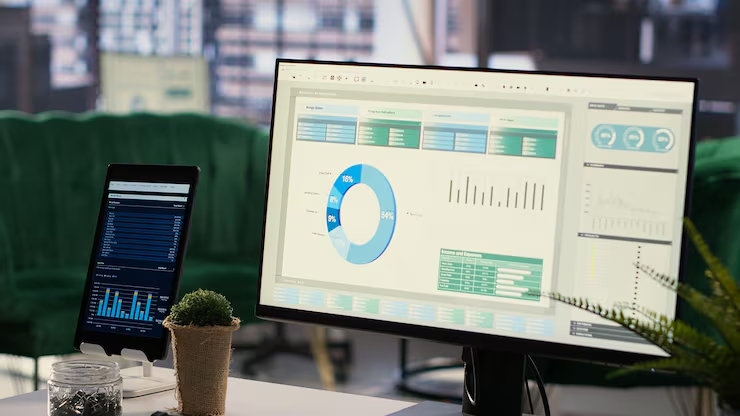
ERP features dashboard for moderns ERP enterprise software and business software
Table of Contents
- Why ERP Features Matter
- 1. Centralized Data Management
- 2. Finance and Accounting
- 3. Inventory Management
- 4. Sales and CRM Integration
- 5. Purchase and Vendor Management
- 6. Workflow Automation
- 7. Real-Time Reporting
- 8. HR and Payroll
- 9. Role-Based Access
- 10. Mobile Accessibility
- 11. Cloud Support
- 12. Third-Party Integrations
- 13. Scalability
- 14. Data Security and Backup
- 15. Custom Dashboards and Reports
- Basic ERP vs Moderns ERP System
- Common ERP Selection Mistakes
- Frequently Asked Questions
Why ERP Features Matter for Modern Businesses
Every business has different workflows, departments, reporting needs, and growth plans. That is why ERP software should be selected based on practical business requirements rather than only price or popularity.
The right ERP features help businesses improve operational control, reduce manual work, and make better decisions with accurate data. A strong system creates visibility across sales, finance, inventory, HR, procurement, and management.
Approvals, reports, inventory alerts, and repetitive workflows can be automated.
Teams can manage billing, expenses, cash flow, and reports more accurately.
Stock movement, reorder levels, and warehouse activity become easier to track.
A flexible platform supports new users, departments, locations, and transactions.
1. Centralized Data Management
Centralized data management is one of the most important ERP features for growing companies. It allows businesses to manage all department data from one platform instead of using scattered spreadsheets and disconnected tools.
Centralized Data Can Include
- Customer records
- Sales data
- Inventory details
- Financial reports
- Purchase records
- Employee information
- Vendor details
This helps reduce duplication, improve data accuracy, and create one reliable source of business information.
2. Finance and Accounting Management
A moderns ERP system should include strong finance and accounting tools. Finance teams need accurate records, automated reports, expense tracking, tax calculations, and better cash flow visibility.
Finance Tools Should Support
- Accounts payable
- Accounts receivable
- General ledger
- Expense tracking
- Tax management
- Cash flow reports
- Budget monitoring
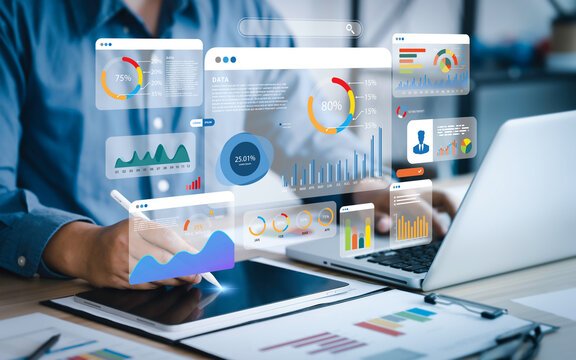
ERP dashboard for finance, stock movement, purchasing, and reporting
3. Inventory Management
Inventory management helps businesses track stock levels, product movement, warehouse data, reorder requirements, and purchase planning. This is especially important for manufacturers, distributors, retailers, and trading businesses.
Good inventory control reduces stockouts, overstocking, delayed dispatches, and wrong stock records.
4. Sales and CRM Integration
ERP software should connect sales processes with customer relationship management. When sales and operations work together, teams can manage enquiries, quotations, orders, billing, and customer history more efficiently.
Sales Integration Can Include
- Lead tracking
- Customer history
- Quotation management
- Sales orders
- Follow-up tracking
- Invoice status
5. Purchase and Vendor Management
Purchase management helps businesses control procurement, vendor records, purchase orders, supplier communication, and cost approvals. It improves supply chain visibility and helps companies avoid unnecessary purchasing delays.
Vendor management also supports better negotiation, timely deliveries, and stronger cost control.
6. Workflow Automation
Workflow automation helps reduce repetitive tasks, manual errors, and approval delays. With the right business software, companies can create structured processes that move smoothly across departments.
Automation Can Support
- Approval workflows
- Invoice automation
- Inventory alerts
- Order processing
- Report generation
- Task notifications

Workflow automation helps reduce manual approvals and operational delays
7. Real-Time Reporting and Analytics
Moderns ERP software should provide real-time reports and analytics dashboards. Business leaders can track sales, finance, inventory, operations, HR, procurement, and performance KPIs instantly.
Real-time analytics reduces dependency on manual reports and helps leaders make faster decisions based on accurate information.
8. HR and Payroll Management
ERP systems with HR features help manage employee records, attendance, payroll, leave, performance data, and internal administration. This improves people management and reduces manual HR workload.
HR Tools Can Include
- Employee records
- Attendance tracking
- Leave management
- Payroll processing
- Performance data
- HR reports
9. Role-Based Access Control
Role-based access ensures employees only access the information they need. This improves security and prevents unauthorized data exposure.
For example, finance teams may access billing and payments, sales teams may access customer records, and administrators may control system settings.
10. Mobile Accessibility
Modern businesses need mobile-friendly ERP access so teams can view reports, approve workflows, update tasks, and manage information from anywhere. Mobile access improves flexibility and helps decision-makers respond faster.
This is especially useful for business owners, managers, field teams, and multi-location organizations.

Mobile and cloud access help teams manage ERP tasks from anywhere
11. Cloud Support
Cloud ERP allows businesses to access enterprise software securely from different locations. It also supports remote work, lower infrastructure costs, easier updates, and faster scalability.
Cloud support is important for businesses that want flexibility without depending heavily on local servers.
12. Third-Party Integrations
A strong ERP system should integrate with other business software tools. Integrations reduce duplicate work and help teams operate from a connected technology ecosystem.
Useful Integrations Include
- CRM systems
- E-commerce platforms
- Payment gateways
- Accounting tools
- Marketing automation platforms
- Reporting tools
13. Scalability for Business Growth
The ERP software you choose should support future growth. As your company adds more users, locations, departments, products, transactions, or integrations, the ERP system should scale without major disruption.
Scalability helps businesses avoid replacing software too quickly as operations expand.
14. Data Security and Backup
Data security is a critical ERP feature because the system stores sensitive business information. Finance records, employee data, customer information, supplier details, and reports must be protected properly.
Security Tools Should Include
- Secure login
- User permissions
- Data backup
- Encryption
- Activity monitoring
- Access logs
15. Custom Dashboards and Reports
Custom dashboards allow decision-makers to view the most important business metrics in one place. Instead of checking different reports manually, leaders can monitor performance through visual dashboards.
Dashboards can be customized for finance, sales, inventory, HR, operations, procurement, and management teams.
You can learn more about enterprise software planning from Gartner IT Research and Oracle ERP Guide.
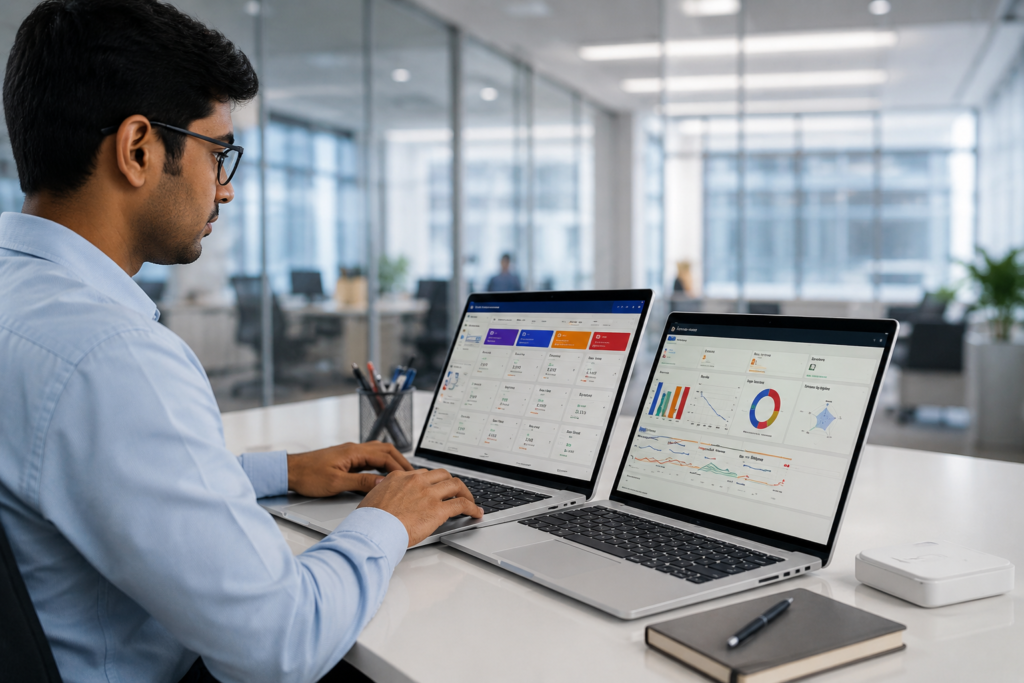
Custom dashboards help leaders track business performance in real time
Basic ERP vs Modern ERP System
| Area | Basic ERP | Modern ERP |
|---|---|---|
| Data | Department-level records | Centralized business data across departments |
| Reports | Static reports | Real-time dashboards and analytics |
| Access | Mostly desktop-based | Mobile and cloud-ready access |
| Automation | Limited workflow support | Approvals, alerts, tasks, and automated workflows |
| Scalability | Limited expansion | Designed for users, locations, integrations, and growth |
Common ERP Selection Mistakes Businesses Should Avoid
Choose software based on department needs and business goals.
The system should support future users, locations, and processes.
Low cost is not useful if the system fails to support operations.
Check whether the platform connects with your existing tools.
If teams find the system difficult, adoption may suffer.
Employees need proper training to use the system correctly.
Continue Reading
Frequently Asked Questions
Q: What are ERP features?
ERP features are tools and functions inside ERP software that help businesses manage finance, inventory, sales, HR, purchasing, reporting, and automation.
Q: What is modern ERP?
Modern ERP is advanced enterprise software that supports automation, real-time analytics, cloud access, integrations, security, and scalable business management.
Q: How does an ERP system help businesses?
An ERP system helps businesses centralize data, automate workflows, improve reporting, manage departments, and support better decision-making.
Q: Is ERP software suitable for growing companies?
Yes. ERP software is useful for growing companies that need better control, scalability, business software integration, and operational efficiency.
Q: Which ERP feature is most important?
The most important feature depends on your business needs, but centralized data, finance, inventory, reporting, automation, and security are essential.
Need Modern ERP Software for Your Business?
A modern ERP system helps businesses centralize data, automate workflows, improve reporting, protect information, and support long-term growth.
Logicraftz Solutions LLP helps businesses choose and implement ERP systems with the right automation, integrations, dashboards, and reporting capabilities.
Introduction
Business operations have become increasingly complex as organizations expand across multiple departments, locations, and markets. Managing finance, inventory, procurement, production, human resources, customer service, and reporting through disconnected applications often leads to communication gaps, duplicate records, and operational delays. To overcome these challenges, businesses are investing in intelligent digital platforms that connect every department through a single system.
A modern ERP platform helps organizations centralize information, improve collaboration, streamline operations, and support data-driven decision-making. When combined with scalable enterprise software, a reliable ERP system, and advanced business software, companies gain greater visibility into daily activities while improving productivity and long-term profitability.
Whether serving manufacturing, retail, healthcare, logistics, education, hospitality, or professional services, integrated technology enables organizations to operate more efficiently and respond quickly to changing business demands.
What Is Modern ERP?
A modern ERP platform is an integrated business management solution that connects core organizational functions into one centralized environment. Instead of maintaining separate systems for accounting, purchasing, inventory, payroll, production, customer records, and reporting, employees work from a unified platform where information is updated automatically across departments.
This connected approach eliminates information silos and ensures every team works with accurate, real-time data. Managers can monitor operations, identify bottlenecks, and make informed decisions without waiting for manually prepared reports.
The result is better coordination, stronger collaboration, and improved operational performance.
Why Enterprise Software Is Essential
As organizations grow, operational complexity increases. Departments generate large amounts of data every day, making it difficult to maintain consistency when information is spread across multiple applications.
Modern enterprise software addresses this challenge by creating a connected environment where finance, procurement, inventory, production, sales, customer service, and human resources share the same database.
Key benefits include:
- Centralized information
- Faster communication
- Improved reporting
- Better collaboration
- Reduced duplicate records
- Greater operational transparency
- Improved compliance
- Higher productivity
- Better resource utilization
- Stronger decision-making
Having reliable information available across every department helps employees perform their responsibilities more efficiently.
How an ERP System Improves Business Operations
A centralized ERP system supports every stage of business operations by providing complete visibility into organizational activities.
Departments benefit from real-time access to:
- Financial records
- Purchase orders
- Inventory levels
- Production schedules
- Employee information
- Customer transactions
- Supplier details
- Business documents
- Operational reports
- Performance dashboards
With one source of accurate information, organizations reduce manual work, improve coordination, and strengthen communication across departments.
This allows management to focus on strategic planning rather than administrative challenges.
The Role of Business Software in Digital Operations
Modern business software helps organizations automate routine activities, improve efficiency, and simplify complex workflows. Instead of relying on paper-based approvals or manual spreadsheets, businesses can standardize operations through intelligent digital processes.
Common functions include:
- Financial management
- Inventory tracking
- Procurement control
- Payroll administration
- Document management
- Employee records
- Reporting and analytics
- Production planning
- Supplier coordination
- Resource monitoring
By reducing repetitive work, employees can dedicate more time to innovation, customer service, and business development.
Improve Collaboration Across Departments
Business success depends on effective collaboration. Integrated platforms connect every department, enabling finance, operations, procurement, warehousing, production, human resources, and management to work with the same real-time information.
This reduces communication delays, minimizes data inconsistencies, and improves accountability throughout the organization. Managers gain complete visibility into operational performance while employees can quickly access the information they need to complete daily responsibilities.
Improved collaboration creates a more productive workplace, supports faster decision-making, and enables organizations to deliver better service to customers while maintaining consistent operational standards.
Real-Time Data Improves Decision-Making
One of the greatest advantages of an integrated business platform is access to accurate, real-time information. Organizations no longer need to depend on manually prepared spreadsheets or reports that quickly become outdated. Instead, decision-makers can monitor operational performance through interactive dashboards that provide instant visibility into every department.
Real-time reporting helps organizations monitor:
- Financial performance
- Inventory availability
- Procurement activities
- Sales trends
- Production progress
- Employee productivity
- Customer orders
- Resource utilization
- Department performance
- Business objectives
Having reliable information available at the right time allows leaders to identify opportunities, respond to operational challenges, and make confident strategic decisions.
Financial Management Becomes More Efficient
Financial operations are critical to every organization. Maintaining accurate accounting records, monitoring expenses, and tracking revenue require a structured approach supported by reliable technology.
An integrated platform simplifies financial operations by managing:
- General ledger
- Accounts payable
- Accounts receivable
- Budget planning
- Cash flow
- Expense tracking
- Asset management
- Tax reporting
- Financial statements
- Bank reconciliation
With centralized financial information, businesses gain better visibility into profitability while reducing manual calculations and reporting errors.
Inventory and Supply Chain Optimization
Inventory management directly impacts customer satisfaction and operational efficiency. Excess inventory increases storage costs, while shortages may delay customer deliveries and interrupt production.
A connected platform enables organizations to monitor inventory movement, warehouse operations, supplier performance, purchase orders, and material availability from a single dashboard.
Warehouse teams receive accurate stock updates, procurement departments can plan purchases more effectively, and management gains complete visibility into inventory performance.
This coordinated approach reduces waste, improves stock accuracy, and supports timely order fulfillment.
Improve Workforce Productivity
Employees perform better when they have access to accurate information and efficient digital tools. Instead of spending valuable time searching for documents or updating multiple systems, staff members can complete daily activities using one centralized platform.
Organizations can improve workforce productivity by:
- Reducing repetitive administrative work
- Simplifying internal communication
- Standardizing operational procedures
- Providing instant access to business data
- Improving collaboration between departments
- Reducing manual errors
- Accelerating approvals
- Supporting remote work
- Improving accountability
- Encouraging continuous improvement
When employees work more efficiently, the organization benefits through faster operations, improved service quality, and stronger overall performance.
Why Logicraftz Is the Right Technology Partner
Logicraftz helps businesses modernize their operations with intelligent digital solutions designed around real organizational needs. Every implementation begins with understanding existing workflows, identifying operational challenges, and recommending practical improvements that align with long-term business goals.
The company provides complete implementation services, including consultation, solution design, customization, data migration, integration, employee training, deployment, and ongoing technical support. This end-to-end approach ensures organizations achieve maximum value from their technology investment.
With experience across manufacturing, healthcare, education, retail, logistics, hospitality, construction, and professional services, Logicraftz develops scalable solutions that improve efficiency, strengthen collaboration, and simplify business operations.
By combining technical expertise with industry knowledge, Logicraftz enables organizations to improve operational visibility, increase productivity, optimize resources, and confidently prepare for future growth. Businesses that embrace intelligent technology today create a strong foundation for sustainable success, continuous innovation, and long-term competitiveness in an increasingly digital economy.