
Construction ERP Software • Construction ERP Solutions • ERP for Construction
The Definitive Guide to Construction ERP Software
Control Projects, BOQs, Budgets, Procurement, Contractors, Site Progress, Billing, Equipment, and Profitability from One Connected Platform
Last Updated: 10th July 2026 | Author: Dhiren Shah
Turn complex construction projects into controlled, profitable, and on-time delivery.
Construction companies coordinate estimates, tenders, BOQs, project schedules, labour, subcontractors, materials, equipment, quality checks, safety records, client billing, retention, and cash flow across multiple sites. When these activities are managed through disconnected spreadsheets and applications, project teams lose visibility into commitments, consumption, delays, variations, and actual margins.
Construction ERP Software connects the head office, project managers, engineers, stores, procurement, finance, contractors, and site teams in one operational system. It gives management real-time control over project cost, material movement, work progress, contractor bills, equipment utilisation, compliance, and profitability.
Understanding Construction ERP
One system for tender-to-handover construction control.
Construction ERP Software is an integrated business platform designed for contractors, builders, infrastructure companies, EPC organisations, developers, and project-based construction businesses. It combines project planning, BOQ management, budgeting, procurement, site execution, subcontracting, billing, finance, HR, equipment, quality, and compliance in a central database.
Unlike basic accounting software, ERP for Construction links commercial and site workflows. Every purchase, issue, subcontract bill, labour cost, equipment hour, variation, measurement, and invoice can be assigned to the correct project, activity, cost code, and budget so management can compare planned versus actual performance.

How Construction ERP Works
The process starts with a tender or approved project. Estimates and BOQs become budgets and cost codes; schedules drive material and subcontract requirements; site teams record progress and consumption; measurements support billing; and every transaction updates cost, cash flow, and profitability.
Construction ERP Architecture
Modern architecture combines a central database, project controls, mobile site applications, workflow approvals, document management, BI dashboards, APIs, security, backups, and integrations with BIM, scheduling, payroll, banking, and equipment systems.
Core Construction ERP Modules
Project Planning and Site Execution Modules
Plan tenders, BOQs, schedules, resources, site activities, measurements, quality checks, and handover milestones with complete project visibility.
Tender, Estimation & BOQ Management
Prepare tender estimates, item-rate analyses, BOQs, resource requirements, overheads, taxes, and margins. Convert awarded bids into controlled project budgets without re-entering data.
Project Planning & WBS Control
Create work breakdown structures, activities, milestones, dependencies, baseline dates, and responsibility assignments so teams can track planned versus actual progress.
Budget & Cost Code Management
Set project budgets by cost code, activity, resource, material, labour, subcontract, and equipment. Control commitments and actual costs against approved limits.
Site Planning & Daily Progress
Capture daily progress, labour deployed, equipment used, weather, completed quantities, delays, photographs, and site notes through mobile-friendly site reports.
Quantity Surveying & Measurement
Record executed quantities, measurement books, joint measurements, certified quantities, and balance work for accurate client and subcontractor billing.
Drawing, RFI & Submittal Control
Manage drawings, revisions, RFIs, material approvals, method statements, transmittals, and consultant responses with complete document history.
Variation & Change Order Management
Track scope changes, additional items, rate approvals, time extensions, impact assessments, and variation orders from request through commercial approval.
Quality, Safety & Snag Tracking
Record inspection requests, checklists, test results, non-conformances, safety observations, incidents, corrective actions, and snag closure by location and activity.
Handover & Defect Liability
Control commissioning documents, as-built drawings, warranties, asset registers, handover packs, snag completion, and defect-liability service obligations.
Core Construction ERP Modules
Materials, Procurement and Subcontractor Control Modules
Control project materials, site stores, purchase commitments, subcontractors, logistics, wastage, and traceability across every location.
Project Material Inventory
Track cement, steel, aggregates, blocks, cables, pipes, fixtures, consumables, spares, and client-supplied materials by project, store, batch, and location.
Site Stores & Material Issue
Manage goods receipts, inspection, bin stock, material requests, issues, returns, transfers, wastage, and reconciliation between central stores and project sites.
Procurement & Purchase Control
Convert material plans into enquiries, quotations, comparative statements, purchase orders, delivery schedules, inspections, and supplier invoices with budget checks.
Subcontractor & Work Order Management
Create subcontract work orders with scope, BOQ items, rates, retention, mobilisation advances, deductions, milestones, and compliance documents.
Vendor Qualification & Performance
Evaluate suppliers and subcontractors on price, quality, delivery, safety, capacity, statutory compliance, claims, and past project performance.
Logistics & Site Delivery Planning
Plan dispatches, vehicle movements, gate entries, unloading, inter-site transfers, returnable materials, and delivery priorities for constrained project sites.
Barcode, QR & Asset Tracking
Use barcode or QR labels to track tools, equipment, materials, documents, and assets across stores, floors, zones, and project locations.
Core Construction ERP Modules
Commercial, Finance and Business Control Modules
Connect project execution with costing, client billing, contractor certification, finance, CRM, HR, quality, and equipment maintenance.
Material Reconciliation & Traceability
Compare theoretical quantities with receipts, issues, returns, consumption, and wastage while retaining traceability to purchase, batch, location, and activity.
Project Finance & Accounting
Maintain project-wise ledgers, cash flow, receivables, payables, taxes, advances, retention, bank guarantees, and financial statements in one system.
Project Costing & Margin Analysis
Calculate committed cost, actual cost, cost-to-complete, forecast-at-completion, earned value, and margin by project, phase, activity, and cost code.
Client Billing & RA Bills
Generate running account bills from certified quantities, milestones, variations, escalation, retention, deductions, taxes, and previous payments.
CRM, Tender Pipeline & Sales
Track leads, tenders, prequalification, site visits, bid submissions, follow-ups, probability, expected value, and conversion into projects.
Construction HR & Payroll
Manage project manpower, attendance, shifts, overtime, wages, payroll, labour contractors, skills, certifications, and statutory records.
Quality & Compliance Management
Standardize inspections, approvals, test certificates, audit records, non-conformance handling, safety documentation, and regulatory evidence.
Advanced Technologies and Integrations
Built for connected construction operations.
Modern Construction ERP Solutions integrate mobile site reporting, BIM, project scheduling tools, IoT equipment data, drones, GIS, document systems, BI dashboards, APIs, cloud infrastructure, workflow automation, and secure role-based access.

Mobile Site Reporting
Engineers, supervisors, storekeepers, safety teams, and managers can record progress, labour, materials, inspections, issues, and approvals directly from the site.
AI for Construction ERP
AI can highlight cost overruns, delayed procurement, abnormal consumption, schedule risks, duplicate bills, and document inconsistencies while improving forecasting.
Business Intelligence Dashboards
Portfolio dashboards show budget, commitments, progress, billing, collections, cash flow, equipment, safety, and margin across projects and regions.
BIM Integration
Connect BIM quantities, work packages, locations, and model-based progress with ERP budgets, procurement, execution, and cost reporting.
Project Scheduling Integration
Integrate Primavera P6, Microsoft Project, or similar planning tools with ERP activities, budgets, procurement milestones, and progress data.
GIS, Drone & Survey Integration
Link maps, drone imagery, survey data, coordinates, and location-based progress with project records for infrastructure and large-site visibility.
Equipment IoT and Telematics
Receive machine hours, fuel use, location, idle time, fault alerts, and maintenance signals from connected construction equipment.
Workflow Automation and Approvals
Automate approval routes for purchase requests, quotations, work orders, variations, measurements, bills, payments, and budget revisions.
Cloud, On-Premise and Hybrid ERP
Choose a secure deployment model based on project connectivity, data policy, IT capacity, mobility, and integration requirements.
API and Third-Party Integration
Connect ERP with accounting, BIM, payroll, document management, e-invoicing, banking, vendor portals, and customer systems through APIs.
Security and Role-Based Access
Control access by company, project, department, role, value limit, document type, and approval authority while keeping complete audit logs.
Backup and Disaster Recovery
Scheduled backups, replication, recovery procedures, and access controls protect critical project, commercial, and financial records.
Compliance and Document Governance
Maintain licenses, insurance, labour records, safety documents, test certificates, statutory filings, and expiry alerts in a controlled repository.
Construction-Specific ERP Solutions
Configured for different project and contracting models.
Residential, commercial, infrastructure, EPC, interior, MEP, road, bridge, and real-estate organisations operate differently. Logicraftz configures workflows, cost codes, approvals, billing methods, and reports around each construction model.
Residential Construction
Manage towers, villas, phases, units, subcontract packages, customer-linked milestones, materials, and handover schedules.
Commercial Buildings
Control office, retail, hotel, and mixed-use projects with complex MEP packages, fit-outs, tenant changes, and commissioning.
Infrastructure and Civil Works
Track item-rate contracts, chainage, structures, bulk materials, heavy equipment, measurements, and milestone billing.
Road and Highway Contractors
Manage stretches, earthwork, aggregates, bitumen, plants, machinery, subcontractors, fuel, and quantity certification.
Bridge and Structural Projects
Control structural packages, drawings, fabricated components, concrete pours, inspections, launching activities, and quality records.
EPC Contractors
Integrate construction deliverables, long-lead procurement, construction packages, commissioning, contract milestones, and project cash flow.
Real Estate Developers
Connect land, projects, construction budgets, contractors, inventory, sales, collections, customer service, and handover.
Industrial Construction
Manage factories, plants, utilities, equipment foundations, piping, electrical works, shutdown windows, and commissioning documents.
MEP Contractors
Track material take-offs, cable and pipe schedules, work fronts, testing, commissioning, measurements, and trade-specific billing.
Interior and Fit-Out Contractors
Control short-duration projects, design approvals, finishes, procurement, site labour, variation orders, and client handover.
Government Contractors
Maintain tender conditions, schedule of rates, measurement records, compliance documents, securities, and certified bills.
Rail and Metro Projects
Manage stations, depots, viaducts, systems packages, interfaces, possessions, equipment, and milestone controls.
Water and Utility Projects
Control pipelines, treatment plants, pumping stations, distributed work sites, materials, testing, and commissioning.
Oil, Gas and Pipeline Construction
Track welding, joints, NDT, coating, materials, right-of-way progress, equipment, quality dossiers, and compliance.
Renewable Energy EPC
Manage solar, wind, battery, and transmission projects with site logistics, equipment, installation progress, and commissioning.
Specialty and Trade Contractors
Configure workflows for piling, waterproofing, façade, HVAC, electrical, plumbing, fire protection, and other specialist trades.
Design-Build and Turnkey Projects
Connect design approvals, procurement, construction, client changes, commissioning, and final handover under one contract.
The Logicraftz Solutions LLP Advantage
Construction ERP implementation focused on measurable outcomes.
Logicraftz Solutions LLP, Mumbai, designs practical ERP systems that connect project controls, site execution, procurement, finance, contractors, equipment, and management reporting without disrupting active projects.
Equipment, Plant & Maintenance
Track cranes, mixers, batching plants, vehicles, generators, tools, fuel, hours, allocation, breakdowns, preventive maintenance, and operating cost.
Uncontrolled Project Cost
Logicraftz links budgets, commitments, measurements, consumption, and finance so management can see overruns early and take corrective action.
Delayed Site Progress
Mobile progress capture, schedule comparison, constraint tracking, and alerts help project teams identify slippage and protect milestone dates.
Subcontractor Billing Disputes
Work orders, measurements, approvals, deductions, retention, and payment certificates remain connected, reducing ambiguity and duplicate claims.
Implementation, Migration, and Support
A structured rollout for safer construction ERP adoption.
Our approach covers project discovery, process mapping, configuration, master-data migration, site testing, user training, phased go-live, and continuous support.
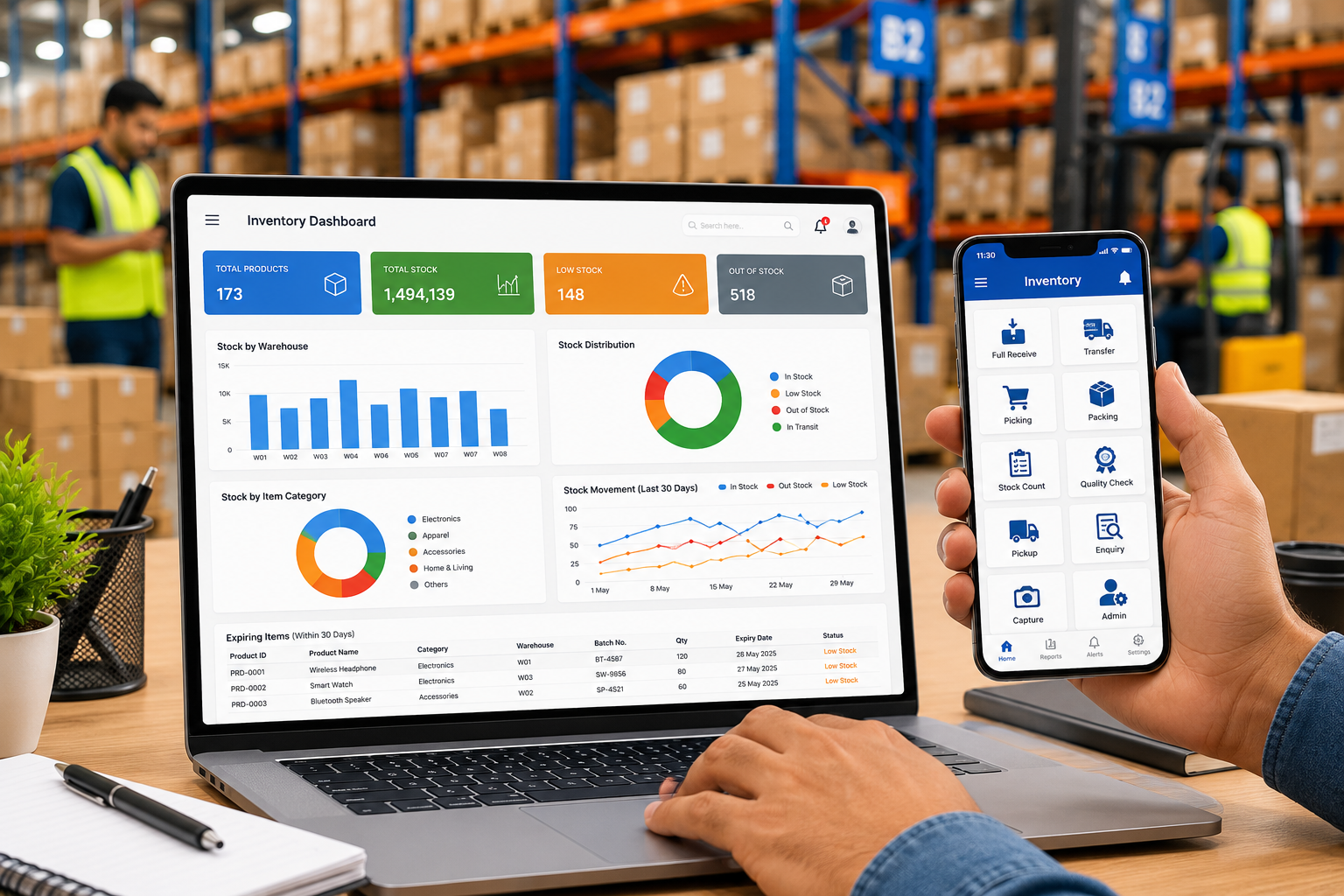
Implementation Process
We map tendering, budgeting, procurement, site execution, measurement, billing, finance, HR, equipment, and reporting before configuring phased workflows and approvals.
Migration Process
We migrate project masters, BOQs, budgets, cost codes, vendors, subcontractors, work orders, inventory, equipment, opening balances, receivables, payables, and active commitments.
Testing and Training
Project managers, engineers, QS teams, stores, procurement, finance, HR, and management test real scenarios and receive role-based training before go-live.
Go-Live and Support
We support cutover, opening balances, live transactions, site adoption, issue resolution, report tuning, and continuous improvement after launch.
Feature and Comparison Matrices
Deployment Options Comparison
| Feature | Cloud Construction ERP | On-Premise ERP | Hybrid ERP |
|---|---|---|---|
| Hosting | Secure remote cloud | Company-managed servers | Combined environment |
| Site access | Excellent for distributed projects | Best inside controlled network | Flexible by function |
| Upfront investment | Lower | Higher | Medium |
| Maintenance | Provider managed | Internal IT managed | Shared responsibility |
| Scalability | Rapid | Hardware dependent | Flexible |
Construction Operation Comparison
| Capability | General Contractor | EPC Company | Real Estate Developer | Infrastructure Contractor | Specialty Contractor |
|---|---|---|---|---|---|
| Primary control | Project and subcontract execution | Construction, procurement, construction | Project, sales, collections | Milestones and heavy equipment | Trade-specific jobs |
| Billing focus | RA bills and retention | Milestone and contract billing | Customer demand and receipts | Item-rate and milestone billing | Measurement-based billing |
| Critical inventory | Site materials | Long-lead equipment | Project materials and units | Bulk materials and fuel | Trade materials and tools |
Frequently Asked Questions
60 detailed Construction ERP answers.
Practical answers covering project control, BOQs, costing, procurement, subcontractors, billing, equipment, mobile access, integrations, implementation, and ROI.
Q1: What is Construction ERP Software?
It is an integrated platform that manages construction projects, BOQs, budgets, procurement, site progress, subcontractors, billing, finance, equipment, HR, and reporting in one system.
Q2: How is Construction ERP different from accounting software?
Accounting software records financial transactions. Construction ERP also controls operational data such as quantities, activities, materials, measurements, work orders, commitments, and project progress.
Q3: Who should use Construction ERP?
General contractors, builders, developers, EPC companies, infrastructure contractors, MEP firms, interior contractors, and multi-project construction groups can benefit.
Q4: What is BOQ management in ERP?
BOQ management maintains item descriptions, units, quantities, rates, budgets, revisions, executed quantities, and billing quantities throughout the project.
Q5: Can ERP manage multiple construction projects?
Yes. It can separate budgets, inventory, teams, contractors, equipment, billing, and profitability by project while providing portfolio-level dashboards.
Q6: How does ERP control project budgets?
Approved budgets are assigned to cost codes and activities. Purchase orders, work orders, issues, bills, and expenses are checked against available budget.
Q7: Can it compare planned and actual cost?
Yes. The system compares budget, commitments, actual cost, forecast cost, and cost-to-complete by project, package, activity, and cost code.
Q8: What is committed cost?
Committed cost is the value of approved purchase orders and work orders that has not yet been fully invoiced or consumed.
Q9: Does ERP support WBS and project schedules?
Yes. Projects can be structured through WBS, activities, milestones, dependencies, baseline dates, and responsibility assignments.
Q10: Can it integrate with Primavera or Microsoft Project?
Yes. Integration can exchange activities, dates, progress, milestones, and resource information depending on the selected planning tool and API availability.
Q11: How does site progress reporting work?
Site teams record daily quantities, labour, equipment, delays, photographs, inspections, and notes through web or mobile forms.
Q12: Can ERP track labour at each site?
Yes. Attendance, shifts, overtime, contractor labour, trade, skill, wage, and project allocation can be recorded by site.
Q13: Does Construction ERP manage subcontractors?
Yes. It manages qualification, work orders, rates, measurements, bills, retention, advances, deductions, compliance, and performance.
Q14: How are subcontractor bills certified?
Bills are linked to approved work orders and measured quantities, then routed through construction, QS, commercial, and finance approvals.
Q15: What is retention management?
ERP calculates retention according to contract terms, tracks released and outstanding amounts, and supports release after milestones or defect-liability conditions.
Q16: Can it handle client RA bills?
Yes. Running account bills can include certified quantities, variations, escalation, retention, taxes, advances, deductions, and previous payments.
Q17: How are variation orders controlled?
Each variation records the reason, scope, quantity, rate, cost impact, time impact, supporting documents, approval status, and billing status.
Q18: Can ERP manage project procurement?
Yes. It covers material requests, RFQs, quotations, comparisons, purchase orders, delivery schedules, receipts, inspection, and invoice matching.
Q19: What is three-way matching?
It verifies the supplier invoice against the purchase order and goods receipt before payment approval.
Q20: Can ERP track materials by project and site?
Yes. Inventory is maintained by company, project, store, bin, batch, and location with issues, returns, and transfers.
Q21: How does material reconciliation work?
The system compares theoretical requirement with purchases, receipts, issues, returns, consumption, and wastage for each material and activity.
Q22: Can it control cement and steel consumption?
Yes. Standard consumption can be compared with actual issues and measured work to identify excess use, loss, or unrecorded work.
Q23: Does ERP support barcode or QR codes?
Yes. Codes can be used for materials, tools, assets, equipment, documents, and location tracking.
Q24: Can site stores operate with limited connectivity?
Mobile or offline-assisted workflows can be configured depending on infrastructure and deployment design, with synchronization when connectivity returns.
Q25: Does it manage equipment and machinery?
Yes. It tracks ownership, allocation, hours, fuel, operator, maintenance, breakdowns, utilisation, and cost.
Q26: Can ERP track fuel consumption?
Yes. Fuel receipts and issues can be assigned to equipment, vehicle, project, and shift for mileage or hourly consumption analysis.
Q27: What is preventive maintenance in construction ERP?
Maintenance is scheduled by date, running hours, kilometres, or condition to reduce breakdowns and extend asset life.
Q28: Can ERP manage tools and returnable items?
Yes. Tools, scaffolding, formwork, cylinders, and returnable materials can be issued, transferred, returned, and reconciled.
Q29: Does ERP include quality management?
Yes. It manages inspection requests, test plans, checklists, results, NCRs, corrective actions, and quality documents.
Q30: Can it manage construction safety?
Yes. Safety observations, permits, toolbox talks, incidents, audits, corrective actions, and compliance records can be tracked.
Q31: What is document control in Construction ERP?
It manages drawings, revisions, RFIs, submittals, transmittals, approvals, method statements, and controlled distribution.
Q32: Can ERP support BIM workflows?
Yes. BIM integration can connect model quantities, locations, packages, and progress with ERP budgets and commercial records.
Q33: Does it support mobile access?
Yes. Authorized users can review dashboards, approvals, site reports, requests, issues, and documents from mobile devices.
Q34: Is cloud Construction ERP secure?
A properly configured cloud system uses encryption, role-based access, audit logs, backups, monitoring, and secure infrastructure.
Q35: Can the system be hosted on-premise?
Yes. On-premise deployment is available for organisations with internal infrastructure, security policies, or connectivity constraints.
Q36: What is hybrid deployment?
Hybrid ERP keeps selected functions or data on local infrastructure while using cloud services for mobility, collaboration, or analytics.
Q37: Can ERP manage GST and taxes?
Yes. Indian implementations can support GST, TDS, e-invoicing, e-way bills, and project-related tax requirements based on configuration.
Q38: Does ERP handle bank guarantees and advances?
Yes. It can track mobilisation advances, recoveries, performance guarantees, expiry dates, renewals, and linked contracts.
Q39: Can it improve project cash flow?
Yes. Billing forecasts, receivables, payment schedules, commitments, retention, and cash requirements improve cash-flow planning.
Q40: How does ERP support management reporting?
Dashboards consolidate budget, progress, procurement, billing, collections, cost, margin, safety, and equipment information across projects.
Q41: What is earned value analysis?
It compares planned value, earned value, and actual cost to assess schedule and cost performance objectively.
Q42: Can ERP forecast project completion cost?
Yes. Forecast-at-completion uses actual cost, commitments, remaining quantities, productivity, and expected changes.
Q43: Does ERP support real estate sales?
A construction ERP can integrate or include unit inventory, bookings, payment schedules, collections, customer documents, and handover.
Q44: Can it manage multiple companies and branches?
Yes. Multi-company, multi-branch, multi-project, multi-currency, and consolidated reporting can be configured.
Q45: How long does implementation take?
Time depends on scope, integrations, data quality, customisation, and number of projects. A phased implementation usually reduces risk.
Q46: What data is migrated?
Typical migration includes projects, BOQs, budgets, cost codes, vendors, contractors, inventory, equipment, contracts, balances, and open transactions.
Q47: Can active projects be migrated?
Yes. Active projects can be migrated with opening quantities, commitments, stock, bills, advances, retention, and financial balances after reconciliation.
Q48: How are users trained?
Training is role-based and uses real construction scenarios for project managers, QS teams, stores, procurement, finance, HR, and management.
Q49: What causes Construction ERP projects to fail?
Common causes include unclear ownership, poor master data, excessive customisation, weak testing, inadequate training, and lack of site adoption.
Q50: Can ERP reduce project delays?
It cannot remove every delay, but it gives early visibility into procurement gaps, approvals, constraints, productivity, and schedule slippage.
Q51: Can it reduce material wastage?
Budget checks, issue controls, reconciliation, approval workflows, and variance alerts help reduce avoidable loss and overconsumption.
Q52: Can ERP prevent duplicate contractor claims?
Linking bills to work orders, measurements, previous certifications, and approved quantities helps detect repeated or excess claims.
Q53: Does ERP support approval hierarchies?
Yes. Approvals can depend on project, department, transaction type, value, budget availability, and authority level.
Q54: Can clients or contractors access portals?
Yes. Controlled portals can share RFQs, orders, delivery status, bill status, documents, approvals, or project information.
Q55: Can ERP integrate with accounting software?
Yes. APIs or scheduled interfaces can connect with existing accounting, payroll, banking, and tax systems where required.
Q56: How does AI help construction companies?
AI can identify cost anomalies, forecast delays, classify documents, analyze tenders, predict cash needs, and highlight high-risk activities.
Q57: What is IoT integration in Construction ERP?
IoT links sensors, equipment telematics, fuel systems, environmental monitors, and access devices with ERP records and alerts.
Q58: What ROI can a construction company expect?
ROI may come from lower wastage, better purchasing, faster billing, fewer disputes, improved utilisation, reduced leakage, and better margin control.
Q59: Is Construction ERP suitable for small contractors?
Yes. A modular cloud deployment can start with project costing, procurement, site inventory, billing, and finance, then expand later.
Q60: Why choose Logicraftz Solutions LLP?
Logicraftz combines ERP expertise with configurable construction workflows, structured implementation, migration, training, integrations, and ongoing support from Mumbai, India.
Construction ERP Glossary
Key terms explained clearly.
BOQ: Bill of Quantities listing work items, units, quantities, and rates.
WBS: Work Breakdown Structure used to divide a project into manageable activities.
Cost Code: A classification used to track budget, commitments, and actual cost.
RA Bill: Running Account bill raised for measured work completed.
Retention: Amount withheld from a contractor or client invoice until agreed conditions are met.
Variation Order: Approved change to scope, quantity, specification, rate, or schedule.
Measurement Book: Record of measured quantities used for certification and billing.
Work Order: Formal instruction defining scope, rate, quantity, and terms for a contractor.
Submittal: Document, drawing, material sample, or method statement submitted for approval.
RFI: Request for Information raised to clarify drawings or specifications.
Snag List: List of defects or incomplete items before handover.
Mobilisation: Deployment of labour, equipment, temporary facilities, and resources to site.
Earned Value: Value of completed work compared with planned value and actual cost.
Material Reconciliation: Comparison of theoretical consumption, issued quantity, used quantity, return, and wastage.
Defect Liability Period: Contract period after handover during which defects must be corrected.
Future Trends in Construction ERP
The next generation of connected project delivery.
AI will improve tender analysis, cost forecasting, schedule-risk detection, document classification, and early warning of budget overruns. Predictive analytics will combine project history, productivity, procurement lead times, weather, and resource data to support better decisions.
BIM, digital twins, drones, GIS, IoT sensors, equipment telematics, and mobile field applications will create a continuous flow of information between design, site execution, and management. ERP will increasingly become the commercial and financial backbone for these connected systems.
Future platforms will also strengthen sustainability reporting, embodied-carbon tracking, material provenance, safety analytics, digital approvals, and data governance while giving executives portfolio-level visibility across every project.
Conclusion
Build with better control, visibility, and profitability.
Construction ERP Software gives project-based organisations one reliable system for BOQs, budgets, procurement, site execution, subcontractors, billing, equipment, finance, and management reporting. It reduces spreadsheet dependency, improves cost visibility, strengthens accountability, and helps teams identify delays and overruns before they become serious.
Logicraftz Solutions LLP delivers configurable Construction ERP Solutions for contractors, builders, developers, EPC companies, and infrastructure businesses. With the right implementation approach, ERP for Construction becomes the operational foundation for scalable growth and digital transformation.
Logicraftz Construction ERP
Transform Your Construction Operations with Logicraftz ERP
Centralize projects, BOQs, budgets, procurement, site stores, subcontractors, billing, equipment, finance, and reporting with scalable Construction ERP Software.
Logicraftz Solutions LLP Mumbai, India
Phone: +91 2231982472 | Email: info@logicraftz.com