
Call Logicraftz Professionals +912231982472 to improve website security, SSL certificate setup, cyber security, secures website protection, and business security.
Website Security: 11 Powerful Safety Practices
A practical guide to SSL certificate setup, cyber security, secure website protection, backups, malware prevention, and business security.
Introduction
Websites security is no longer optional for businesses. Whether you run a small business website, e-commerce store, service website, or corporate platform, protecting your website from cyber threats is essential for trust, performance, and long-term business success.
A weak website can expose customer data, damage your reputation, reduce search visibility, and create serious business risks. A secure website helps protect sensitive information, improves customer confidence, and supports stronger business security.
From installing an SSL certificate to using regular backups, malware protection, login controls, and practical cyber security measures, every business should follow a clear website protection process.
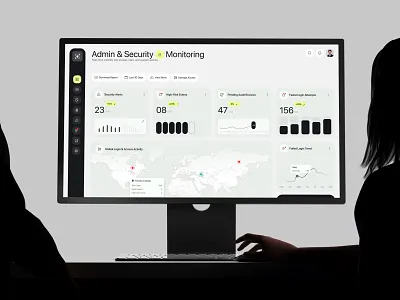
Websites security dashboard for monitoring SSL, malware, backups, and login activity
Table of Contents
- Why Websites Security Matters
- 1. Install an SSL Certificate
- 2. Use Strong Passwords
- 3. Enable Two-Factor Authentication
- 4. Keep Website Software Updated
- 5. Choose Secures Website Hosting
- 6. Take Regular Website Backups
- 7. Install Malware Protection
- 8. Use Website Firewall Protection
- 9. Limit User Access and Permissions
- 10. Secure Contact Forms and User Inputs
- 11. Monitor Website Activity Regularly
- Unsafe Website vs Secure Website
- Common Websites Security Mistakes
- Frequently Asked Questions
Why Website Security Matters for Businesses
Every business website is a potential target for cyberattacks. Hackers may try to steal data, inject malware, redirect visitors, damage pages, or use the website for spam activities.
Strong websites security helps businesses reduce risk and protect customer trust. It also supports better website performance, SEO stability, brand credibility, and safe online experiences for users.
Secure forms, logins, payment pages, and sensitive information.
Visitors are more confident when your website looks secure and reliable.
Reduce risks of malware, redirects, server issues, and site damage.
A protected website strengthens credibility and long-term business security.
1. Start With an SSL Certificate
An SSL certificate encrypts the connection between your website and users. It changes your website from HTTP to HTTPS and helps protect data shared through forms, login pages, checkout pages, and payment sections.
HTTPS also helps visitors feel safer when browsing your website, especially when they submit enquiries or share personal details.
Why SSL Is Important
- Protects user data
- Builds customer trust
- Improves website credibility
- Supports SEO performance
- Shows a secure padlock in browsers
- Protects form submissions
- Supports safe online transactions
Every business should use HTTPS to create a secures website experience.
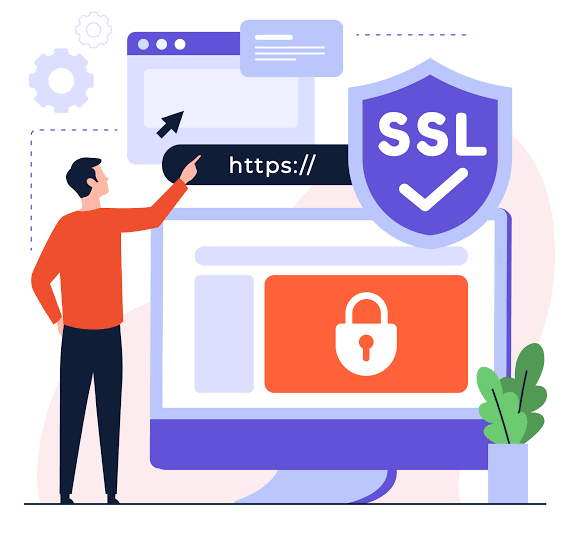
SSL certificate protection helps secure data between users and your website
2. Use Strong Passwords for Better Business Security
Weak passwords are one of the easiest ways attackers gain access to websites. Business owners, admins, developers, and team members should use strong and unique passwords for all website-related accounts.
Password Best Practices
- Use uppercase and lowercase letters
- Add numbers and special characters
- Avoid common words
- Never reuse passwords
- Use a password manager
- Change passwords after employee role changes
- Avoid sharing admin credentials
Strong passwords are a simple but powerful cyber security practice that reduces unauthorized access risk.
3. Enable Two-Factor Authentication
Two-factor authentication adds an extra layer of protection by requiring a second verification step during login. Even if someone gets your password, two-factor authentication can help prevent unauthorized access.
Common 2FA Methods
- Authenticator apps
- Email verification codes
- SMS verification
- Security keys
- Login approval prompts
For business websites, 2FA should be enabled for admin users, content managers, developers, and anyone with access to sensitive settings.
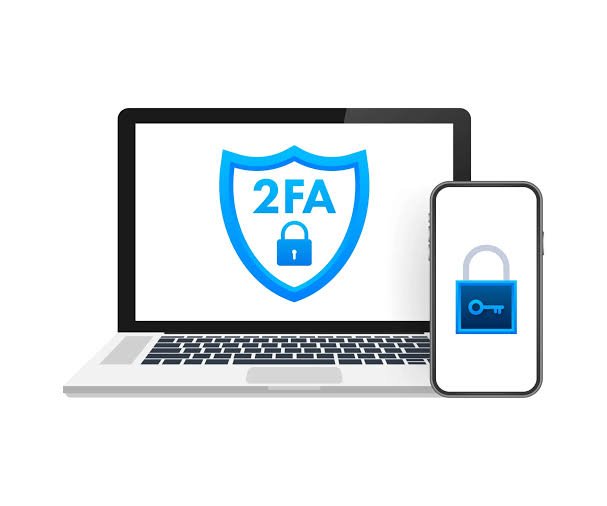
Two-factor authentication adds extra protection for website admin access
4. Keep Website Software Updated
Outdated themes, plugins, CMS platforms, and scripts can create security vulnerabilities. Attackers often look for websites running old software versions because they may contain known weaknesses.
Update These Regularly
- CMS core files
- WordPress plugins
- Website themes
- Security tools
- Server software
- PHP versions
- Third-party scripts
Regular updates help close security gaps and keep your website stable, compatible, and protected.
5. Choose Secure Website Hosting
Your hosting provider plays a major role in website security. Poor-quality hosting can expose your website to downtime, malware, server-level threats, and slow performance.
Secure Hosting Features
- Server firewall
- Malware scanning
- Automatic backups
- Uptime monitoring
- SSL support
- Technical support
- Server-level security updates
- DDoS protection
Secure hosting helps protect your business website from common online risks and provides a stronger foundation for stability.
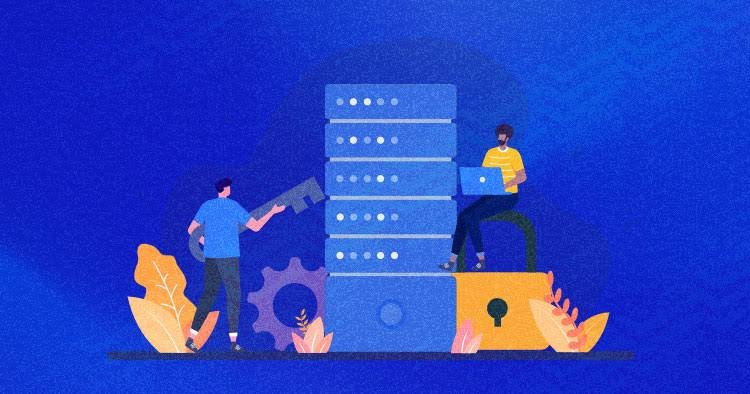
Secure hosting protects websites with firewall, monitoring, backups, and server security
6. Take Regular Website Backups
Backups help restore your website if it gets hacked, corrupted, deleted, or accidentally damaged. Without reliable backups, recovery can become slow, expensive, and stressful.
Backup Best Practices
- Schedule automatic backups
- Store backups off-site
- Keep multiple backup versions
- Test backup restoration
- Backup both files and database
- Protect backup access
- Review backup frequency based on website activity
Regular backups are essential for recovery and business continuity.
7. Install Malware Protection
Malware can damage your website, steal information, redirect users, affect search rankings, and harm your brand reputation. Malware protection helps detect and prevent suspicious activity before it becomes a bigger issue.
Malware Protection Includes
- Regular malware scans
- Suspicious file detection
- Automatic alerts
- Blacklist monitoring
- Malware removal support
- File integrity monitoring
- Threat detection reports
Malware protection is a critical part of cyber security planning for business websites.

Malware protection and backups help businesses recover quickly from website threats
8. Use Website Firewall Protection
A website firewall helps block harmful traffic before it reaches your website. It filters suspicious requests, reduces spam attacks, and protects common vulnerable areas such as login pages and forms.
Firewall Benefits
- Blocks malicious requests
- Protects login pages
- Reduces spam attacks
- Prevents common exploits
- Improves secures website protection
- Helps control bot traffic
- Supports better uptime stability
A firewall creates an important security barrier between your website and online threats.
9. Limit User Access and Permissions
Not every team member needs full admin access. Limiting permissions reduces the risk of accidental changes, unauthorized actions, data exposure, and configuration errors.
User Access Tips
- Assign roles carefully
- Remove inactive users
- Avoid sharing admin accounts
- Review permissions regularly
- Use separate login accounts
- Limit developer access after project completion
- Remove old employee accounts immediately
Controlled access improves business security and protects important website settings.
10. Secure Contact Forms and User Inputs
Contact forms are common targets for spam, fake submissions, and malicious inputs. Since many business websites rely on forms for enquiries, securing them is important.
Form Security Practices
- Use CAPTCHA protection
- Validate form fields
- Limit file uploads
- Block spam submissions
- Use secure form plugins
- Sanitize user inputs
- Protect forms from bot submissions
Securing forms protects both your website and your users while improving enquiry quality.
11. Monitor Website Activity Regularly
Website monitoring helps detect suspicious activity before it becomes a major issue. Regular checks allow businesses to respond quickly to problems such as failed logins, file changes, traffic spikes, plugin errors, or security alerts.
Monitor These Areas
- Login attempts
- File changes
- Plugin updates
- Traffic spikes
- Error logs
- Security alerts
- Blacklist status
- Backup completion reports
Regular monitoring helps businesses respond quickly to websites security issues. You can learn more from Google Search Central Security Guide and OWASP Top 10.
Unsafe Website vs Secure Website
| Area | Unsafe Website | Secures Website |
|---|---|---|
| Connection | No HTTPS or SSL protection | Uses SSL certificate and secure HTTPS |
| Login Access | Weak passwords and shared accounts | Strong passwords, 2FA, and controlled permissions |
| Updates | Old plugins, themes, and CMS files | Regular updates and vulnerability management |
| Protection | No malware scanning or firewall | Firewall, malware protection, monitoring, and alerts |
| Recovery | No reliable backup plan | Scheduled backups and recovery process |
Common Website Security Mistakes Businesses Should Avoid
Every business website should use HTTPS for safer browsing.
Use strong credentials and avoid shared admin accounts.
Outdated plugins, themes, and CMS files can create vulnerabilities.
Regular backups help restore your website after errors or attacks.
Limit access based on role and remove inactive users quickly.
Track login attempts, file changes, malware alerts, and uptime.
Continue Reading
Frequently Asked Questions
Q: What is website security?
Websites security refers to the tools, practices, and protections used to prevent cyberattacks, data loss, malware, unauthorized access, and website damage.
Q: Why is an SSL certificate important?
An SSL certificate encrypts data between users and your website, helps build trust, and shows visitors that your website uses a secure HTTPS connection.
Q: How can small businesses improve cyber security?
Small businesses can improve cyber security by using SSL, strong passwords, two-factor authentication, secure hosting, backups, malware protection, and regular updates.
Q: What makes a secure website?
A secure website uses HTTPS, strong login protection, updated software, malware scanning, firewall protection, regular backups, and controlled user access.
Q: How often should website security be checked?
Website security should be monitored regularly, with updates and backups performed frequently to reduce risks and maintain business security.
Need a Secure Website for Your Business?
A secure business website helps protect customer data, reduce cyber risks, maintain trust, improve stability, and support long-term online growth.
Logicraftz Solutions LLP helps businesses build secure, high-performing, and SEO-friendly websites protected with modern cyber security best practices.
Introduction
In today's digital economy, protecting business information has become just as important as providing quality products and services. Every day, organizations process customer enquiries, financial transactions, employee records, and confidential business data through their websites and online applications. Without strong protection, businesses become vulnerable to cyber threats that can damage their reputation, interrupt operations, and reduce customer confidence.
A professional SSL certificate is one of the first and most essential steps toward building a secure website that customers can trust. Combined with effective cyber security practices and a comprehensive business security strategy, organizations can protect sensitive information, reduce digital risks, and create a safer online experience for customers, employees, and business partners.
Whether operating an e-commerce store, corporate website, ERP platform, CRM application, healthcare portal, educational platform, or financial system, every organization benefits from investing in strong digital protection.
Why Website Security Matters
Customers expect businesses to protect their personal and financial information whenever they interact online. A single security incident can affect customer confidence, reduce website traffic, and create long-term reputational damage.
Strong website protection helps businesses:
- Protect customer information
- Prevent unauthorized access
- Improve customer confidence
- Reduce operational risks
- Maintain regulatory compliance
- Protect financial transactions
- Support business continuity
- Improve online credibility
- Strengthen digital reputation
- Build long-term trust
Security should be viewed as an ongoing business investment rather than a one-time technical task.
Understanding SSL Certificate Protection
An SSL certificate encrypts information exchanged between a user's browser and a website server. This encryption prevents sensitive data from being intercepted while it travels across the internet.
Websites protected with SSL display HTTPS instead of HTTP and often include a security padlock within the browser.
Benefits include:
- Encrypted communication
- Improved customer trust
- Secure login pages
- Protected payment information
- Better data privacy
- Reduced interception risks
- Improved browser confidence
- Stronger authentication
- Secure online transactions
- Professional business image
Modern browsers increasingly warn visitors when websites do not use encrypted connections, making SSL an essential requirement for every business website.
Cyber Security Protects Every Business Function
Modern cyber security extends beyond website protection. Organizations must safeguard servers, employee devices, business applications, cloud infrastructure, customer databases, and internal communication systems.
An effective security strategy protects:
- Customer records
- Financial information
- Employee data
- Business applications
- Internal documents
- Operational systems
- Intellectual property
- Email communication
- Cloud environments
- Digital assets
Comprehensive protection reduces the likelihood of cyberattacks while supporting uninterrupted business operations.
Building a Secure Website
A secure website provides customers with confidence that their information is protected throughout every interaction.
Essential security practices include:
- SSL implementation
- Strong authentication
- Secure hosting
- Regular software updates
- Firewall protection
- Malware monitoring
- Data encryption
- Backup management
- Access control
- Security monitoring
Maintaining strong security practices improves customer confidence while reducing operational vulnerabilities.
Business Security Supports Long-Term Success
Strong business security combines technology, employee awareness, policies, and continuous monitoring to protect every aspect of organizational operations.
Businesses should develop security frameworks that include regular risk assessments, employee training, incident response planning, data protection policies, and ongoing technology improvements.
Organizations that prioritize security not only reduce cyber risks but also strengthen customer relationships, protect valuable business assets, and create a resilient digital foundation capable of supporting sustainable growth.
Protect Customer Data with Strong Security Practices
Customer trust is built on confidence that personal and business information will remain protected. Organizations that collect contact details, payment information, enquiry forms, or confidential documents must implement multiple layers of protection to safeguard sensitive data.
Essential security practices include:
- Multi-factor authentication
- Strong password policies
- Role-based user access
- Regular security audits
- Data encryption
- Automated backups
- Firewall configuration
- Malware detection
- Secure server monitoring
- Continuous vulnerability assessment
Implementing these measures significantly reduces the risk of unauthorized access while strengthening customer confidence.
Regular Website Maintenance Prevents Security Risks
Websites security is not a one-time implementation. New software updates, plugin releases, browser changes, and emerging cyber threats require businesses to monitor and maintain their websites continuously.
Regular maintenance activities include:
- Updating CMS software
- Installing plugin updates
- Removing unused extensions
- Monitoring website logs
- Checking file integrity
- Scanning for malware
- Testing website performance
- Reviewing user permissions
- Monitoring uptime
- Creating recovery backups
Consistent maintenance helps organizations identify potential vulnerabilities before they become serious security issues.
Employee Awareness Strengthens Cyber Protection
Technology alone cannot prevent every security incident. Employees play an important role in protecting organizational information by following safe digital practices.
Businesses should educate employees about:
- Phishing emails
- Password management
- Secure file sharing
- Device protection
- Data privacy
- Safe internet browsing
- Software updates
- Remote work security
- Social engineering attacks
- Incident reporting procedures
Regular security awareness training helps reduce human errors that often contribute to successful cyberattacks.
Cloud Security and Business Continuity
Many organizations now use cloud platforms to improve collaboration, scalability, and operational flexibility. Protecting cloud-based applications requires strong authentication, encryption, and continuous monitoring.
Businesses should implement:
- Secure cloud storage
- Identity management
- Access control policies
- Data encryption
- Backup strategies
- Disaster recovery planning
- Activity monitoring
- Compliance reviews
- Network security
- Continuous risk assessment
These practices help maintain operational continuity even when unexpected technical issues occur.
Why Businesses Choose Logicraftz
Logicraftz helps organizations strengthen their digital infrastructure by delivering secure, scalable, and reliable technology solutions designed around business objectives. Every implementation begins with understanding operational requirements, identifying potential security risks, and developing customized protection strategies that align with industry best practices.
The company provides comprehensive services including website development, server security, SSL implementation, AI-powered monitoring, ERP and CRM integration, cloud solutions, cybersecurity consulting, website maintenance, backup management, and performance optimization. Rather than applying generic security measures, Logicraftz develops tailored solutions that protect digital assets while supporting long-term business growth.
Through continuous monitoring, proactive maintenance, transparent communication, and ongoing technical support, Logicraftz enables organizations to improve operational resilience, strengthen customer confidence, reduce cybersecurity risks, and maintain a secure digital environment capable of supporting future business expansion.